
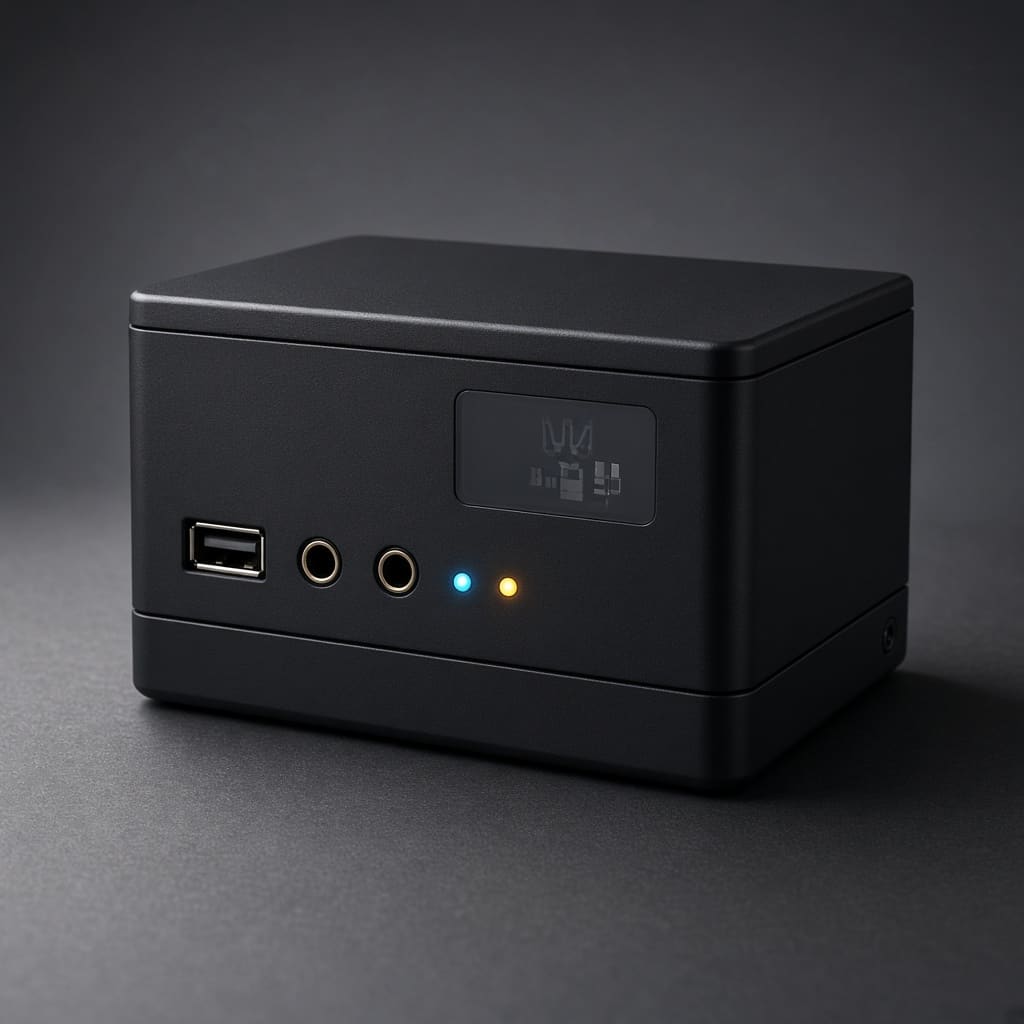
BlueBox
Bluetooth 4.0 audio transmitter, receiver, and analog audio switch developed for a client. Bluetooth Profiles used: A2DP, HFP, AVRCP, HSP, MAP, PBAP.
Project Description
BlueBox is a Bluetooth-based audio management system developed for one of our clients.
It was designed as a central hub for wireless audio connectivity and analog audio routing, enabling seamless communication between mobile phones, Bluetooth earphones, and desktop audio systems.
The system provides advanced features such as hands-free calling, phonebook synchronization, SMS access, and audio stream switching, all controlled through a dedicated Windows utility application. BlueBox ensures flexibility by routing microphone and speaker signals intelligently between different connected devices.
Working
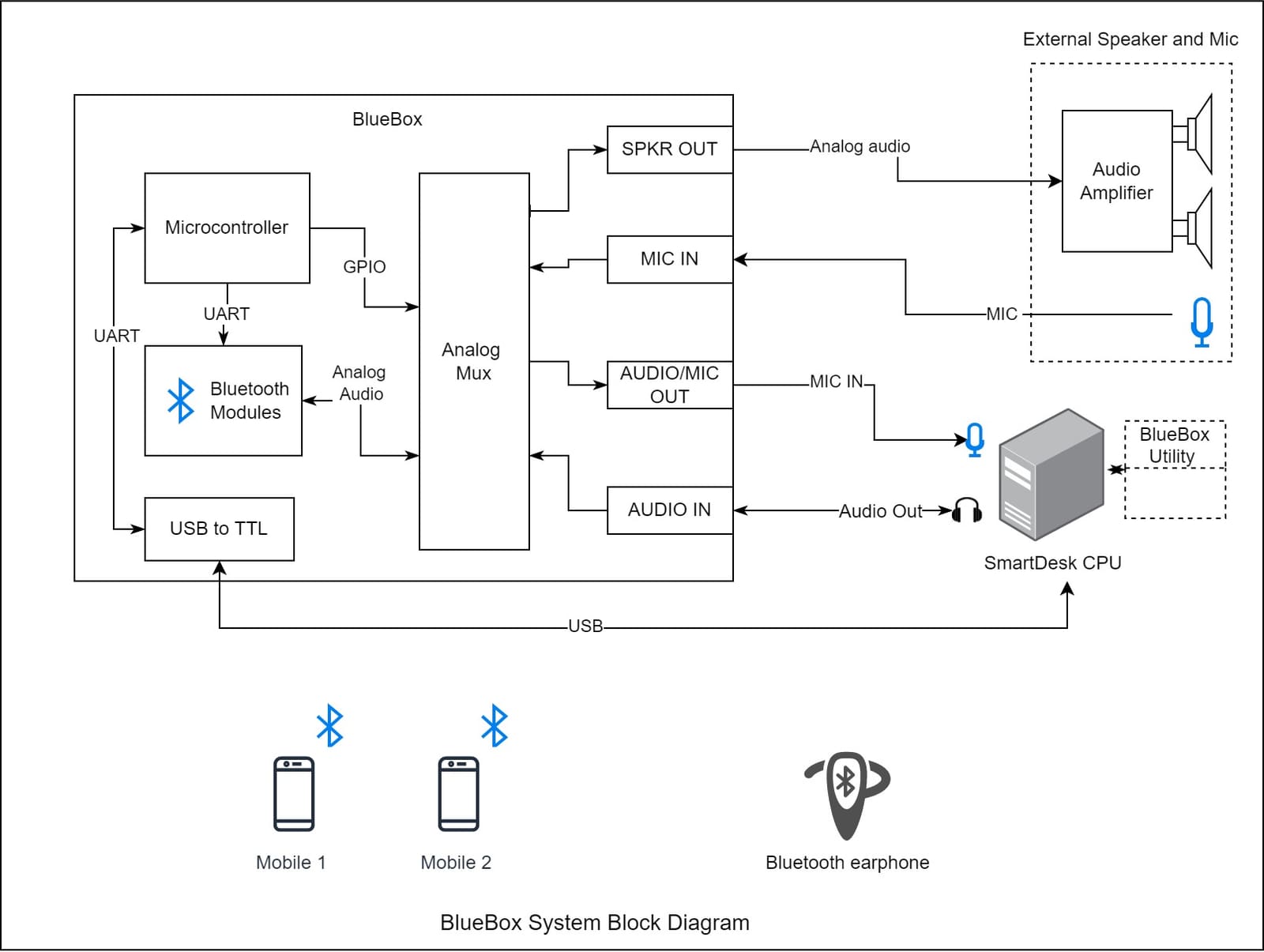
The design integrates two Bluetooth audio modules:
- One module connects to the mobile phone, handling calling, phonebook, SMS, and music playback.
- The second module connects to the Bluetooth earphones, providing wireless audio and microphone support.
For communication and control, the system implements multiple Bluetooth Audio Profiles:
- A2DP (Advanced Audio Distribution Profile) – Streams audio from mobile phones to speakers or earphones.
- AVRCP (Audio/Video Remote Control Profile) – Provides music control (play, pause, track navigation).
- HFP (Hands-Free Profile) – Enables microphone and speaker switching for phone calls.
- HSP (Headset Profile) – Manages call functions such as ringing, answering, hanging up, and volume control.
- MAP (Message Access Profile) – Transfers SMS messages to the BlueBox Windows utility.
- PBAP (Phone Book Access Profile) – Synchronizes the phonebook and retrieves call history (missed, incoming, outgoing).
The audio switching is managed by analog MUX ICs that route signals between Bluetooth modules, desktop audio I/O ports, and earphones.
A microcontroller controls the modules using UART commands and drives the MUX with GPIO logic.
For PC integration, BlueBox connects via USB-to-TTL bridge (CP2102) and communicates with the Windows-based utility.
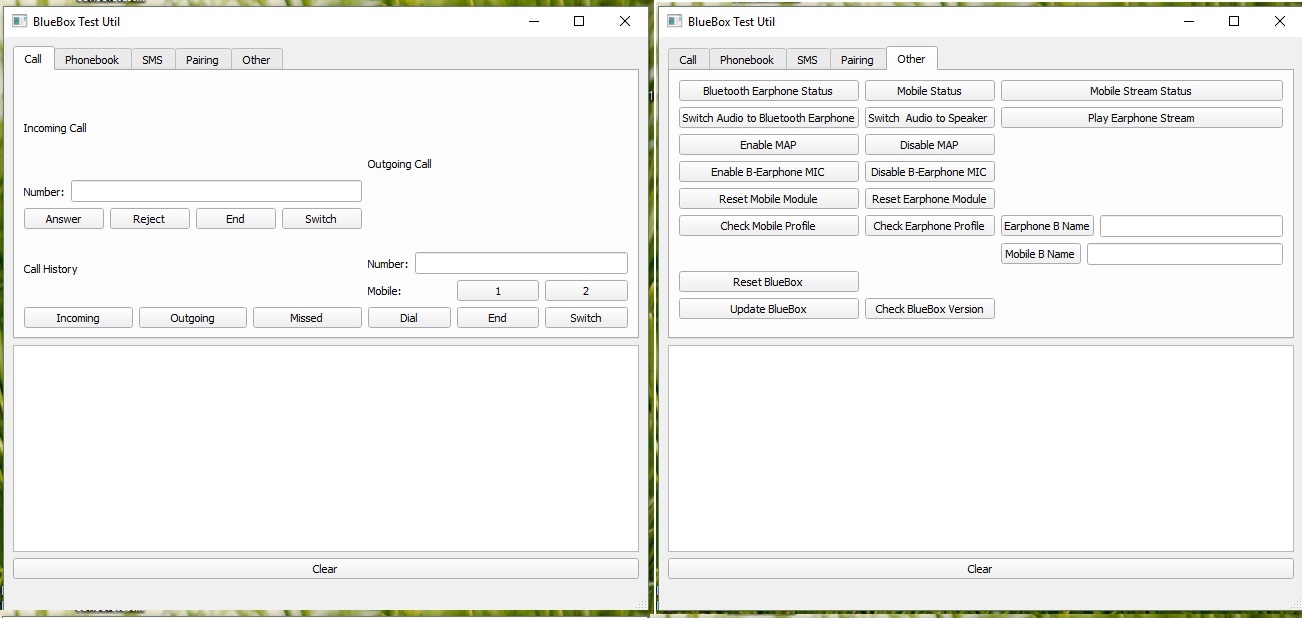
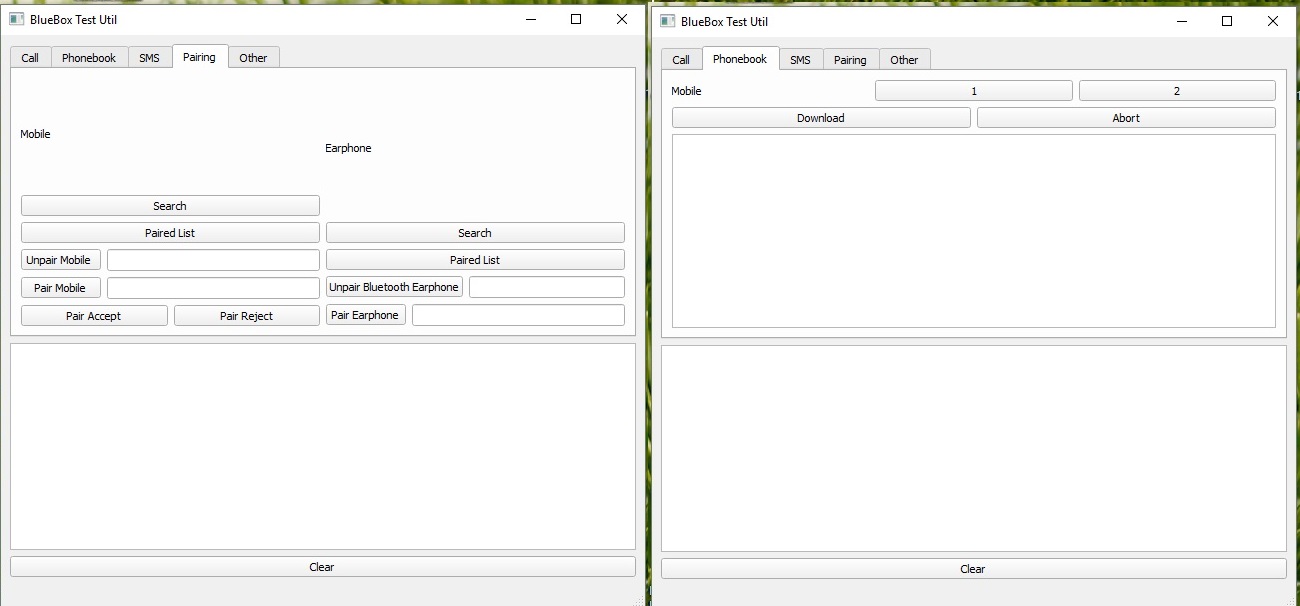
The utility software, developed using PyQt, provides a GUI for pairing, device monitoring, call control, SMS viewing, and audio routing.
BlueBox Features
- Connect up to two mobile devices simultaneously
- Answer and make calls using desktop speakers or Bluetooth earphones
- Stream audio from PC or mobile phones directly to Bluetooth earphones
- Receive/end calls using the earphone button
- Automatic disconnection of PC audio streams during calls
- Switch audio streams between earphones and desktop speakers
- Download call history (incoming, outgoing, missed) for both connected mobiles
- Noise cancellation (CVC technology) for clear voice calls
- Download and synchronize phonebooks from both mobiles
- Read incoming SMS via Windows utility
- Automatic reconnection when paired mobiles are in range
- Automatic or manual switching of PC audio streams to Bluetooth earphones
- Stream mobile audio to desktop speakers with auto PC audio disconnect
- Simple pairing with any modern Bluetooth earphones and smartphones
- Status notifications for connections, calls, and device pairing
Main Components
- Bluetooth 4.0 Module BC127
- Microcontroller: Atmega644P
- USB to TTL Interface IC: CP2102
- Quad SPDT Audio Switch IC: MAX4740
BlueBox Windows Utility
BlueBox Demo Video
Want something similar built for you?
Tell us about your application — we’ll help with architecture, PCB, firmware, and production support.